

INDEPENDENT APPS, THOUGHTFULLY MADE

Useful apps.
Made with care.

New Chapter makes practical apps for real needs. Clear steps, useful results, and attention to the details you use every day.

THE APP COLLECTION

A clear purpose. A useful result.

All apps
01 / MistakeKit

For students, parents & teachers

Give a tricky question another try.

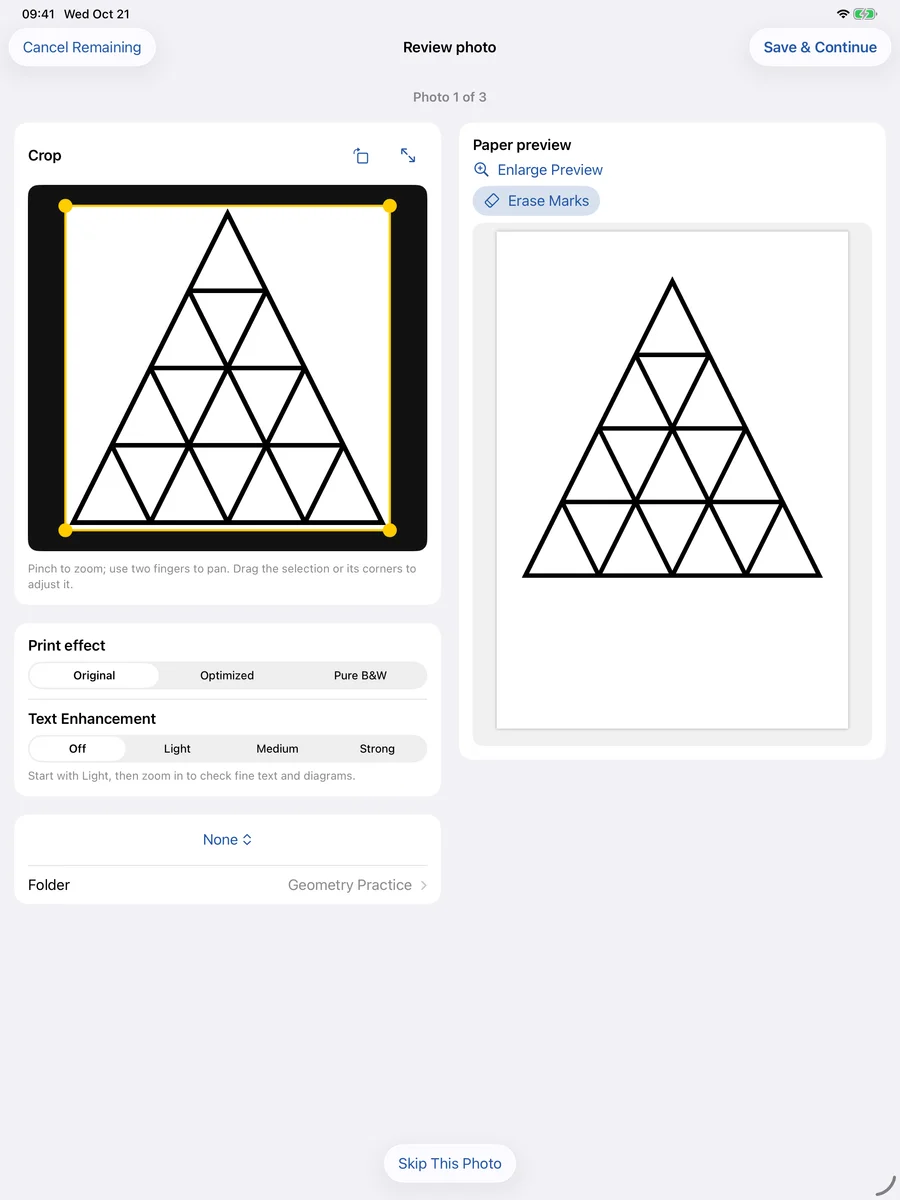
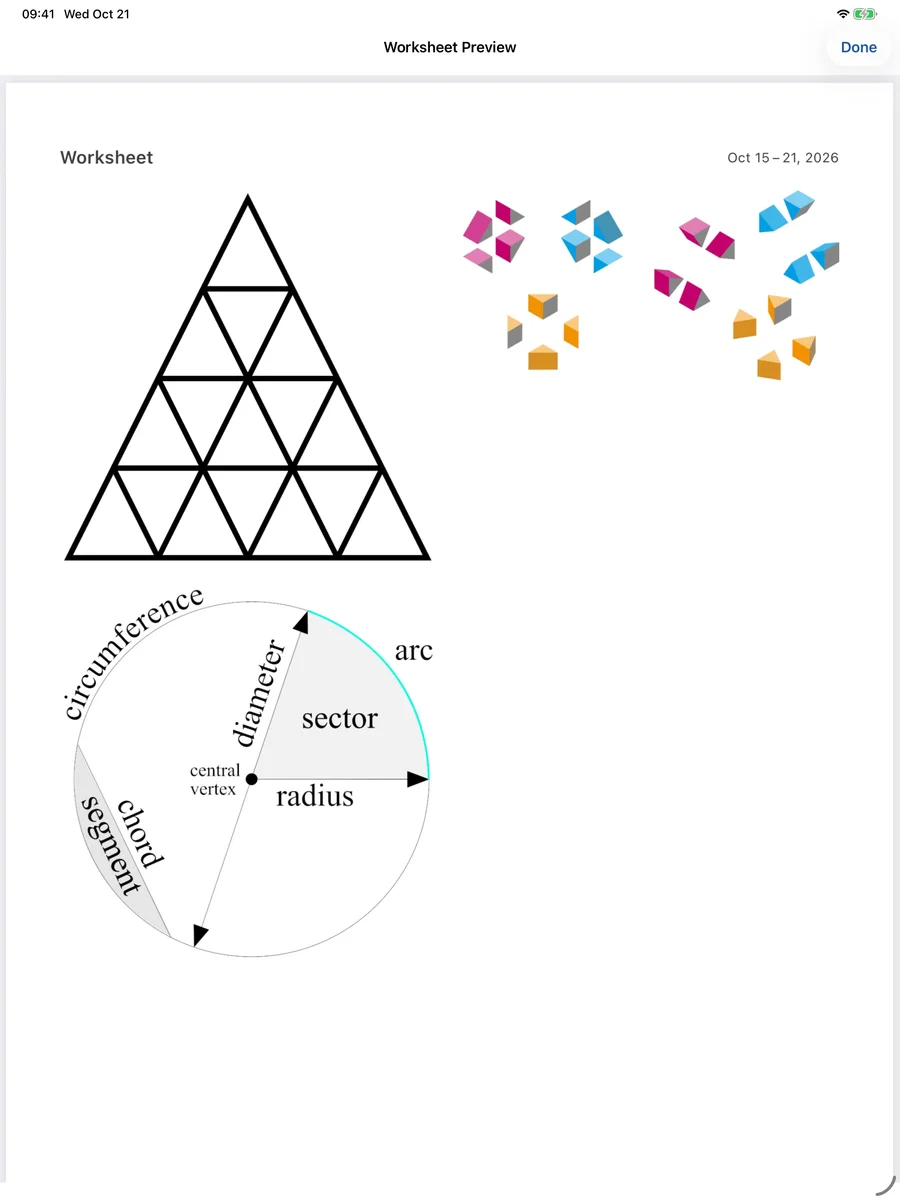
For the questions that need another try: crop them from photos, keep diagrams with the question, and leave room to write on a fresh worksheet.

  1. CaptureTake or import a photo. Crop the questions you want to keep.
  2. OrganizeSave questions in folders and choose what to practice next.
  3. PracticeSet question sizes and writing space. Export an A4 or Letter PDF.
  • Question images & PDFs stored on your device
  • 7-day local trial · one-time Pro purchase
MISTAKEKIT
Inspect an actual worksheet PDF
iPad interface and worksheet preview, using sample material. Check the App Store for supported devices.
02 / Contractor Photo Report

For contractors & field professionals

Let your work speak clearly.

Give your customer one clear record: what you found, what you did, and what still needs attention. Keep the photos and explanation together in a shareable PDF.

  1. DocumentCreate a job and record findings, work performed and next steps.
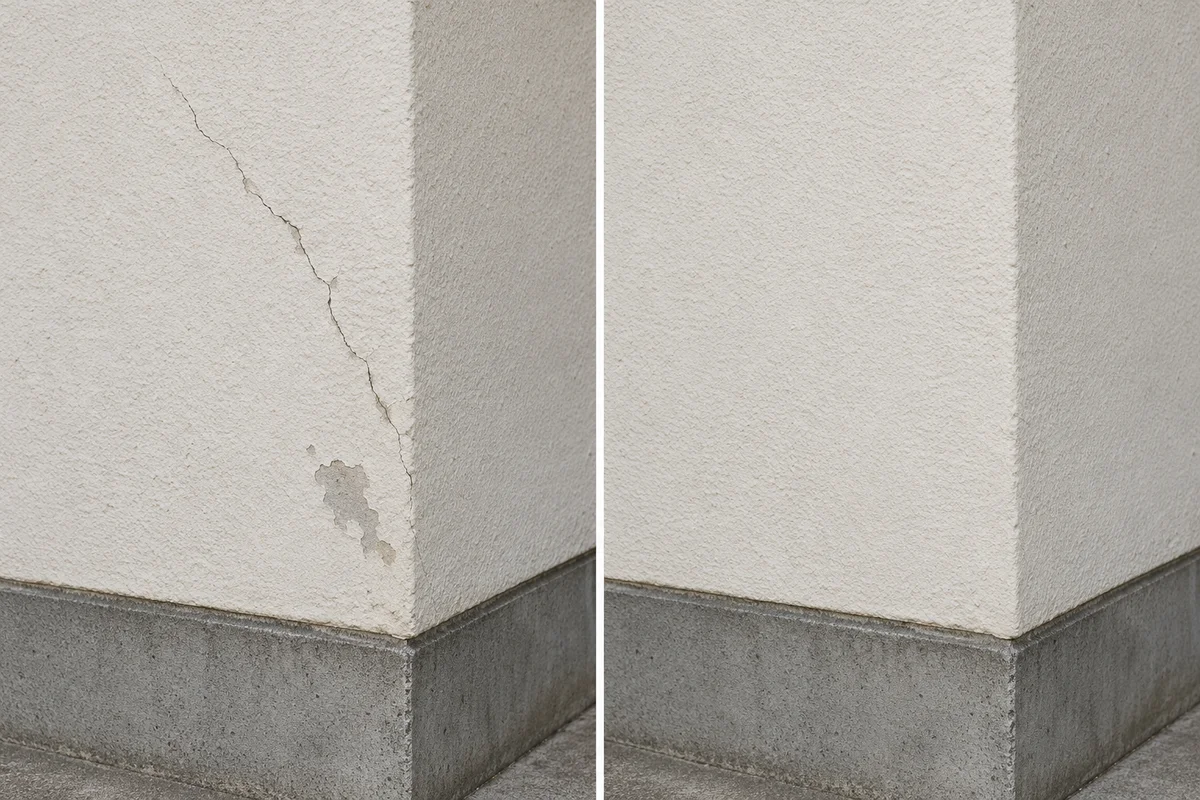
  2. ExplainAdd Before and After photos. Mark details and redact sensitive areas.
  3. DeliverChoose the layout and report language, then export and share a PDF.
  • Six app & report languages, set independently
  • Pro subscription for creating & editing reports

This app is under App Store review. The store page may not be available yet; downloads will become available after approval and release.

CONTRACTOR PHOTO REPORT
CONTRACTOR PHOTO REPORTPDF

ILLUSTRATIVE REPORT

Exterior wall repair

Finding

A visible crack in the exterior plaster.

BEFOREAFTER
Fictional before-and-after illustration of a cracked plaster wall and the same wall repaired
Work performed

Repaired the affected area and repainted to match.

Report content illustration, using a fictional record and synthetic images. The app interface may differ. See the actual interface

THE NEW CHAPTER APPROACH

Care is in the details.

About the studio
01

A purpose you can understand

See who each app is for, what it does, and the steps from getting started to getting a result.

02

Details you can check

Real examples, clear purchase options and product limits help you decide whether an app fits.

03

Help within reach

Every app has practical guides, privacy information and a direct way to contact the developer.

PRACTICAL GUIDES

A good place to begin.

All tutorials